Quick Answer: How to Access KCA Virtual Campus
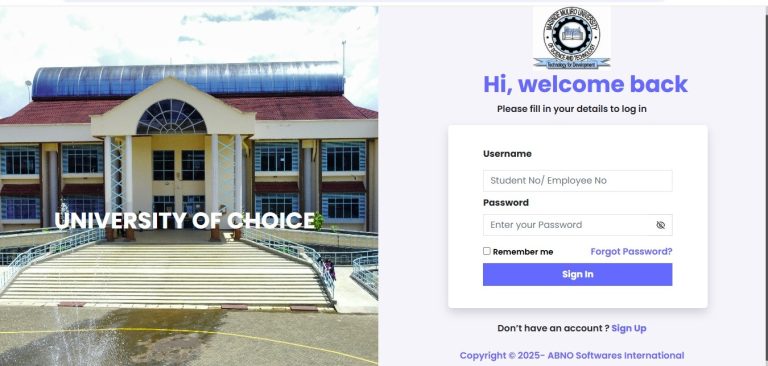
Login URL: https://virtualcampus.kcau.ac.ke/login/index.php
Username: Your student email address
Password: Provided by Distance Learning Officer (new students) or previous password (continuing students)
Requirements: Must register units on Student Portal and pay at least 50% fees before accessing virtual campus
| Login Step | Action Required | Time Needed |
|---|---|---|
| Unit Registration | Register units on Student Portal | 10-15 minutes |
| Fee Payment | Pay minimum 50% of trimester fees | Varies |
| Virtual Campus Access | Log in with credentials | 2-3 minutes |
| Unit Enrollment | Enroll using lecturer’s key | 5 minutes per unit |
Introduction
Can’t access your KCA virtual campus login? You’re not alone. Many KCA University students in Kenya face challenges when trying to log into the virtual campus for the first time. Whether you’re a new student who just received your credentials or a returning student who forgot your password, this guide will walk you through everything you need to know.
The KCA virtual campus has become an essential tool for over 18,000 students pursuing degrees in business, technology, education, and other fields. As online learning continues to grow in Kenya, knowing how to access and use the virtual campus properly can make the difference between success and frustration in your studies.
Looking for extra income while you study? Or want to promote your business to thousands of students? You’re in the right place. We’ll also show you how platforms like ZangCash can help you earn money online or grow your brand visibility.
What is KCA Virtual Campus?
KCA virtual campus is the online Learning Management System that KCA University uses to support classroom learning. Think of it as your digital classroom where you can access everything you need for your courses without being physically present on campus.
The platform, which runs on Moodle software, allows students to access lecture notes, video content, audio materials, and participate in assignments, quizzes, discussion forums, and continuous assessment tests. All students at KCA University are required to actively use the virtual campus as directed by their lecturers.
KCA University launched its virtual campus to provide flexible learning options for working professionals, parents, and anyone seeking education without the constraints of a physical classroom. The system has proven particularly valuable since 2020, when remote learning became essential for continuing education during challenging times.
The virtual campus connects students to four major schools:
- School of Business (Finance, Marketing, Human Resource Management, Economics)
- School of Technology (Software Development, Information Technology, Data Science)
- School of Education and Social Sciences (Education, Journalism, International Relations, Psychology)
- KCA University Professional and Technical Training Institute (Technical courses in IT, Engineering, Business Management)
Why KCA University Students in Kenya Need the Virtual Campus
The KCA virtual campus login gives students access to resources that can transform their educational experience. Here’s why it matters:
Flexibility that Fits Your Life
You can study when it suits you best. Whether you’re a working professional who can only study at night, a parent managing family responsibilities, or someone living far from campus, the virtual campus lets you learn on your schedule. Instead of rushing through traffic to make an 8 AM class, you can access your materials at 10 PM from home.
Access to Quality Learning Materials
The platform provides comprehensive learning resources including recorded lectures, detailed notes, supplementary reading materials, and multimedia content. These resources stay available 24/7, so you can review difficult concepts as many times as needed.
Interactive Learning Environment
Through discussion forums, you can connect with classmates, ask questions, and share insights. This creates a learning community even when you’re studying from different locations across Kenya.
Real-Time Updates and Announcements
Miss an important deadline? Not with the virtual campus. You’ll receive notifications about assignment deadlines, exam schedules, fee payment reminders, and university events directly on the platform.
Cost Savings
By accessing materials online, you save money on transport to campus, printed materials, and time away from work. This makes education more affordable for many Kenyan students.
Types of Access Available on KCA Virtual Campus
Full Student Access
This is the standard access for enrolled KCA University students. After completing unit registration on the Student Portal and paying at least 50% of your trimester fees, you gain full access to:
- All enrolled course materials
- Assignment submission portals
- Quiz and exam platforms
- Discussion forums with classmates and lecturers
- Grade tracking and academic progress reports
Guest Access
Want to explore KCA’s offerings before enrolling? Guest access lets you browse limited content without full login credentials. You can view:
- General course descriptions
- Platform interface and navigation
- Public announcements
- Sample materials from select courses
To use guest access, visit the main portal at https://virtualcampus.kcau.ac.ke/ and click “Access as Guest” on the login screen. While functionality is limited, it provides valuable insight into what enrolled students experience.
Lecturer Access
Faculty members have their own portal for uploading materials, managing assignments, posting grades, and communicating with students. Lecturers provide enrollment keys that students need to access specific course units.
How to Complete KCA Virtual Campus Login Successfully
Step 1: Register Your Units on Student Portal (MANDATORY)
Before you can access the KCA virtual campus, you must first register your units on the Student Portal. This is not optional—your virtual campus account won’t work without this step.
- Visit the KCA University Student Portal at https://portal.kcau.ac.ke/
- Log in with your student credentials
- Navigate to the unit registration section
- Select all units you’re taking this trimester
- Confirm your registration
New students should contact their School office and the Students Finance Department if they need assistance with this step.
Step 2: Ensure Fee Payment Requirements Are Met
Your virtual access will be restricted if you haven’t met the fee payment requirement. KCA University requires at least 50% of trimester fees to be paid before you can access the virtual campus. Without this payment, your account remains inactive.
If you’ve paid your fees but still can’t access the platform, contact the billing department at billing@kcau.ac.ke for verification.
Step 3: Access the KCA Virtual Campus Login Page
Once your units are registered and fees are paid:
- Open your web browser (Google Chrome, Mozilla Firefox, or Microsoft Edge work best)
- Visit https://virtualcampus.kcau.ac.ke/login/index.php
- You’ll see the login page with fields for username and password
Step 4: Enter Your Login Credentials
For New Students:
- Username: Your student email address (usually firstname.lastname@students.kcau.ac.ke)
- Password: Check your email from the Distance Learning Officer for your initial password
For Continuing Students:
- Username: Your student email address
- Password: Same password you used in previous trimesters
Step 5: Log In and Navigate the Platform
Click the “Log In” button. If your credentials are correct and your account is active, you’ll see your personalized homepage displaying your name and enrolled courses.
From here, you can:
- Browse your course list
- Access learning materials
- Check announcements
- Submit assignments
- Participate in discussions
How to Choose the Right Course Units on Virtual Campus
After logging in, you need to enroll in your specific course units. Here’s how to do it effectively:
Verify Your Course List
First, double-check which units you registered on the Student Portal. Only enroll in virtual campus courses that match your official registration.
Get Enrollment Keys from Lecturers
Each course unit requires an enrollment key provided by your lecturer. You’ll typically receive these keys through:
- Email from your lecturer
- Announcements on the main virtual campus page
- WhatsApp groups for your class
- In-person during physical class sessions
Enroll Systematically
- Click on your school (Business, Technology, Education, etc.)
- Find your specific course or department
- Locate the unit you want to enroll in
- Click on the unit name
- Enter the enrollment key when prompted
- Click “Enroll me”
- Repeat for all your units
Only Enroll with Your Own Lecturer
This is critical: you must only enroll in units taught by your assigned lecturer, even if you see multiple sections of the same course. Enrolling in the wrong section can cause confusion with assignments, grades, and communication.
Cost of KCA University Programs and Virtual Campus Access
Understanding the costs helps you plan your education budget effectively.
Tuition Fee Structure
| Program Level | Average Cost per Trimester | Annual Cost (3 Trimesters) |
|---|---|---|
| Bachelor of Commerce | KSh 120,000 | KSh 360,000 |
| Bachelor of Science (IT) | KSh 130,000 | KSh 390,000 |
| Bachelor of Education | KSh 115,000 | KSh 345,000 |
| MBA Programs | KSh 180,000 | KSh 540,000 |
| Diploma Courses | KSh 80,000 | KSh 240,000 |
Virtual Campus Access Costs
The good news? Virtual campus access is included in your tuition fees. You don’t pay extra to use the online learning platform. However, you’ll need:
- Reliable internet connection (data costs vary by provider)
- Computer or smartphone (one-time investment or rental)
- Occasional printing costs for assignments or notes (optional)
Financial Assistance Options
KCA University students can access:
- HELB (Higher Education Loans Board) loans for government-supported students
- University scholarships based on academic performance
- Partial fee payment plans (minimum 50% down payment required)
- Work-study programs through the university
Want to earn extra money while studying to help cover these costs? Register as an influencer on ZangCash and start earning by promoting products and services online.
Step-by-Step Guide: Complete KCA Virtual Campus Login Process
Let me walk you through the entire process from start to finish:
Week 1: Before Trimester Starts
- Receive admission letter and student credentials via email
- Activate your student email account
- Visit the Student Portal and register your units
- Pay at least 50% of your trimester fees
Day 1: First Virtual Campus Access
- Check your email for credentials from Distance Learning Officer
- Visit https://virtualcampus.kcau.ac.ke/login/index.php
- Enter your student email as username
- Enter your temporary password
- Click “Log In”
- Change your password to something memorable but secure
Day 2-3: Unit Enrollment
- Wait for lecturers to send enrollment keys (usually sent in first week)
- Navigate to your school section on virtual campus
- Find each unit you’re registered for
- Enter the enrollment key provided by your lecturer
- Confirm enrollment
- Repeat for all units
Ongoing: Active Learning
- Check the virtual campus daily for announcements
- Download and review lecture materials before class
- Participate in discussion forums
- Submit assignments before deadlines
- Take online quizzes and CATs as scheduled
Common Mistakes to Avoid with KCA Virtual Campus Login
Mistake 1: Trying to Access Before Unit Registration
Many students attempt to log into the virtual campus before registering their units on the Student Portal. This won’t work. Always register units first, pay your fees, then access the virtual campus.
Mistake 2: Using Wrong Login Credentials
Your virtual campus username is your student email address, not your admission number or ID number. Using the wrong format will always fail.
Mistake 3: Ignoring Fee Payment Requirements
Your account gets deactivated if you don’t maintain the required fee balance. Even if you could log in before, failure to pay at least 50% of fees will lock you out.
Mistake 4: Enrolling in Wrong Lecturer’s Course
Each unit might have multiple sections taught by different lecturers. Enrolling in the wrong section means you won’t receive the correct materials or grades.
Mistake 5: Not Saving or Writing Down Your Password
Forgetting your password is frustrating. Write it down securely or use a password manager to store it safely.
Mistake 6: Waiting Until Assignment Deadlines
Don’t wait until the last minute to access the virtual campus. Technical issues, forgotten passwords, or enrollment problems take time to resolve.
Mistake 7: Not Checking Email Regularly
Important information about enrollment keys, password resets, and account issues comes via email. Check your student email at least twice weekly.
Future Trends in Online Education at KCA University
Online learning in Kenya is evolving rapidly, and KCA University is at the forefront of these changes.
Artificial Intelligence Integration
Expect AI-powered tutors that provide personalized learning support, automated grading systems that give instant feedback, and smart recommendation engines that suggest relevant learning materials based on your progress.
Mobile-First Learning
With smartphone penetration in Kenya reaching over 60%, KCA virtual campus is optimizing for mobile access. Soon, you’ll have dedicated mobile apps with offline content downloading capabilities.
Virtual Reality Classrooms
While still emerging, VR technology could bring immersive learning experiences to fields like medicine, engineering, and architecture, allowing students to practice skills in simulated environments.
Blockchain Credentials
Digital certificates and degrees secured by blockchain technology will make credential verification instant and tamper-proof, benefiting KCA graduates seeking employment.
Expanded Distance Learning Programs
KCA University is likely to offer more fully online degree programs, allowing students from across Kenya and East Africa to access quality education without relocating.
According to the Commission for University Education, Kenya’s university student enrollment grew by 12% in 2024, reaching 628,541 students. Private chartered universities like KCA enrolled 144,007 students, representing 23% of the total. This growth reflects increasing demand for accessible, flexible education options.
Want to be part of Kenya’s digital economy? Whether you’re looking to earn money as an influencer or promote your business to students, ZangCash connects you with opportunities.
FAQ About KCA Virtual Campus Login
Q1: What should I do if I forgot my KCA virtual campus password?
Visit https://virtualcampus.kcau.ac.ke/login/forgot_password.php and click on the password reset option. Choose whether to reset by username or email, enter your information, and click “Search.” You’ll receive a reset link via email. Check your spam folder if you don’t see it within 10 minutes.
Q2: Why can’t I access the virtual campus even though I registered my units?
The most common reason is insufficient fee payment. You need to pay at least 50% of your trimester fees before your virtual campus account activates. Contact billing@kcau.ac.ke to verify your payment status.
Q3: Can I access KCA virtual campus from my phone?
Yes! The platform is mobile-responsive and works on smartphones and tablets. However, some features like assignment uploads or document downloads work better on a computer. Use the latest versions of Chrome, Firefox, or Safari for best results.
Q4: What’s the difference between the Student Portal and Virtual Campus?
The Student Portal (portal.kcau.ac.ke) is where you register units, check fee balances, view exam cards, and access administrative services. The Virtual Campus (virtualcampus.kcau.ac.ke) is where you access course materials, submit assignments, and interact with learning content. You need both.
Q5: How do I get enrollment keys for my courses?
Your lecturers provide enrollment keys, typically during the first week of the trimester. They’ll share these keys through email, class WhatsApp groups, or during physical lectures. If you haven’t received keys after week one, email your lecturer directly or visit their office.
Q6: What if my virtual campus is inactive for reasons other than fees?
Email moodle_support@kcau.ac.ke with your student details and explain the issue. Alternatively, visit the Distance Learning Office at Main Campus or the ICT Office at your specific campus for in-person assistance.
My Experience with KCA Virtual Campus Login
When I first enrolled at KCA University, I struggled with the virtual campus login process just like many of you. I remember sitting in my apartment in Nairobi, frustrated because I couldn’t access my course materials while my classmates were already discussing assignments in our WhatsApp group.
My first mistake was trying to log in before registering my units on the Student Portal. I kept getting an error message that made no sense to me. After calling the ICT support desk three times, I finally understood the proper sequence: register units first, pay fees, then access virtual campus.
The second challenge came with enrollment keys. I enrolled in the wrong section of Financial Accounting because I didn’t realize there were multiple lecturers teaching the same course. I spent two weeks following the wrong syllabus before my actual lecturer pointed out the mistake. That experience taught me to always confirm I’m in my assigned lecturer’s section.
What made the difference for me was treating the virtual campus as seriously as physical classes. I set up daily reminders to check for announcements, created a dedicated folder on my computer for downloaded materials, and participated actively in discussion forums. This approach helped me maintain a B+ average throughout my degree program.
The flexibility of the virtual campus saved me countless hours. As someone working part-time to support my studies, being able to access lectures at 11 PM after work was invaluable. I could pause videos, rewind difficult concepts, and study at my own pace without the pressure of keeping up with a fast-talking lecturer.
My advice to new students: invest time in understanding the platform during your first week. Don’t wait until you’re behind on assignments to figure out how to use the virtual campus. The platform is powerful once you know how to use it properly.
Conclusion
The KCA virtual campus login is your gateway to flexible, quality education at one of Kenya’s leading private universities. By following this guide, you can avoid common mistakes, access your courses smoothly, and make the most of online learning opportunities.
Remember these key points:
- Always register units on the Student Portal before attempting virtual campus login
- Pay at least 50% of your fees to keep your account active
- Use your student email as your username
- Get enrollment keys from your assigned lecturer only
- Check the platform regularly for updates and announcements
Whether you’re a new student preparing for your first trimester or a continuing student who needs a refresher, the KCA virtual campus provides the tools you need to succeed. Take advantage of the flexibility, engage with the learning materials, and don’t hesitate to reach out for support when you need it.
Ready to start your online learning journey? Log into your KCA virtual campus today and take control of your education.
Looking for additional income while you study? Register as an influencer on ZangCash and start earning money by promoting products online. Or if you’re a business wanting to reach KCA’s 18,000+ students, buy a promotion package to grow your brand visibility.
Key Takeaways
- KCA virtual campus login requires prior unit registration on Student Portal and minimum 50% fee payment
- Username is your student email address; password comes from Distance Learning Officer for new students
- Guest access is available for prospective students to preview the platform before enrollment
- Enrollment keys from your specific lecturer are needed to access individual course units
- Password reset options are available through the forgot password page
- Virtual campus access is included in tuition fees with no additional charges
- Mobile access is supported but works best with updated browsers
- Support is available through moodle_support@kcau.ac.ke or campus ICT offices
Don’t just read—take action today. Join thousands of KCA students succeeding through online learning, and if you want extra income, explore opportunities on ZangCash to earn money while you study or promote your business to reach students across Kenya.
Sources and References
- KCA University Virtual Campus Official Portal. (2025). Retrieved from https://virtualcampus.kcau.ac.ke/
- KCA University Student Portal. (2025). Retrieved from https://portal.kcau.ac.ke/
- KCA University. (2019). Distance Learning Benefits. Retrieved from https://www.kcau.ac.ke/distance-learning/
- Commission for University Education. (2024). University Statistics 2024/2025. Retrieved from https://cue.or.ke/
- EDU NOTES. (2024). KCA Virtual Campus: Access, Login, Guest Options, and Password Reset Guide. Retrieved from https://edunotes.co.ke/kca-virtual-campus/
- Shika.co.ke. (2025). KCA Virtual Campus: Login, Guest Access & Reset 2025. Retrieved from https://shika.co.ke/kca-virtual-campus/
- uniRank. (2025). KCA University KCAU 2025 Ranking & Review. Retrieved from https://www.4icu.org/reviews/12288.htm
- Business Radar. (2025). Full List of KCA University Courses, Cutoff Points. Retrieved from https://www.businessradar.co.ke/blog/2025/04/01/full-list-of-kca-university-courses-cutoff-points-and-how-to-apply-everything-you-need-to-know/
- ZangCash. (2024). KCA Virtual Campus 2025. Retrieved from https://zangcash.co.ke/blog/kca-virtual-campus/
- HubSpot Blog. Marketing and Business Resources. Retrieved from https://blog.hubspot.com/
Survey Question: What has been your biggest challenge with the KCA virtual campus login process?
- [ ] Forgetting my password
- [ ] Not registering units first
- [ ] Fee payment issues
- [ ] Getting enrollment keys from lecturers
- [ ] Technical problems with the platform
- [ ] None – it was easy for me
Share your experience in the comments below to help other students!