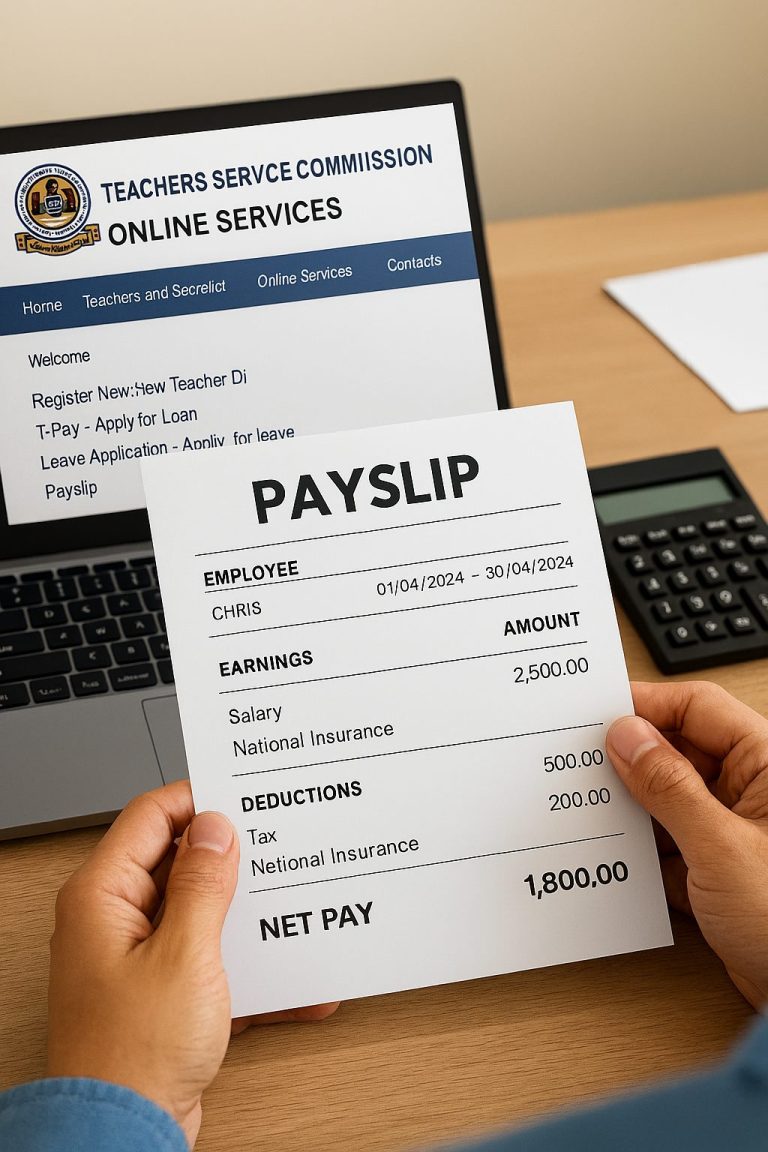
Quick Answer: How to Access Your IPPD Payslip
Getting your IPPD payslip takes just 3 simple steps:
- Visit the official portal at uhr.kenya.go.ke/ippd/auth/login.php
- Enter your Personal Number (employee ID) and password
- Navigate to “My Payslips” section and download your document
Processing Time: Instant access once logged in Cost: Free of charge Requirements: Employee credentials provided by HR department
Have you ever needed your payslip urgently for a bank loan application, only to realize you left it at the office? Or maybe you’re tired of standing in long queues at your ministry’s HR office every month just to collect a piece of paper? If you’re among Kenya’s 681,000 public sector employees, you know this struggle too well.
The good news? Those days are behind us. The Integrated Payroll and Personnel Database (IPPD) system has changed everything. You can now access your IPPD payslip login from anywhere, anytime, whether you’re at home in Nairobi, your office in Mombasa, or visiting family in Eldoret.
Think of it like M-Pesa for your payslip. Just as you check your mobile money balance on your phone, you can now check your salary details online. No more waiting. No more lost documents. Just simple, instant access.
Let me show you exactly how this works.
What is IPPD Payslip Login?
The IPPD (Integrated Payroll and Personnel Database) payslip is a digital document for government employees in Kenya that shows earnings, deductions, and net pay for each month. It’s your official salary statement, but better because it’s always available online.
Picture this: Your payslip is like a detailed receipt from a supermarket, but instead of showing what you bought, it shows what you earned and what was taken out for taxes and other deductions. Every detail is there, transparent and clear.
The IPPD system was introduced in 2004 to manage payroll in Kenya’s civil service, addressing issues like duplications and inefficiencies that came from manual payroll management. Before IPPD, HR officers prepared payrolls manually at ministry headquarters and physically submitted them to the National Treasury. Can you imagine the chaos?
The system now works alongside other government platforms like GHRIS (Government Human Resource Information System), IFMIS (Integrated Financial Management Information System), and G-PAY. These systems interface together to provide government employees with a complete self-service platform for HR and payroll services.
Why Government Employees in Kenya Need IPPD Payslip Login
You might be wondering, “Why should I bother learning about IPPD payslip login when my HR office can print it for me?” Here’s why this matters for your daily life:
Financial Planning Made Easy When you can access your payslip anytime, you can plan your budget better. You’ll know exactly when your housing allowance increased or if NSSF deductions changed. No surprises. No guesswork.
Instant Loan Applications Banks and SACCOs need your payslips when you apply for loans. Payslips serve as official records of income, which can be used for various purposes such as applying for loans, mortgages, or other financial services. With IPPD, you can download last month’s payslip in seconds, even if you’re already sitting at the bank.
Tax Compliance The payslip helps ensure employees are aware of their tax obligations, assisting them in filing accurate tax returns. When filing your KRA returns, you’ll have all your P9 information right there.
Transparency and Trust Remember the old days when you’d wonder, “Why is my salary less this month?” Now you can see every deduction clearly. The system provides a clear breakdown of earnings and deductions, ensuring transparency in how salaries are calculated and distributed.
Environmental Impact By going digital, we’re saving thousands of trees. Every month, hundreds of thousands of government employees would receive printed payslips. Now, those same employees access digital copies, contributing to Kenya’s environmental conservation efforts.
Types of Government Payslip Systems in Kenya
Kenya’s public sector uses several interconnected payslip systems. Understanding which one applies to you will save you time and frustration.
IPPD (Integrated Payroll and Personnel Database)
This is the original system, launched in 2004. IPPD was designed to provide reliable information on public service numbers, wages and allowances, capacity gaps and guide in development of a comprehensive pay reform strategy for the public service. Many ministries and government departments still use this system.
Who Uses It: Civil servants in various ministries and government departments Access Point: uhr.kenya.go.ke/ippd/auth/login.php
GHRIS (Government Human Resource Information System)
GHRIS is a centralized, web-based, self-service information system developed by the Government of Kenya to manage all Human Resource aspects in government, covering the entire spectrum from entry to post-exit. This system replaced IPPD in many institutions.
Who Uses It: Most government employees across ministries, state departments, uniformed services, state corporations, and county governments Access Point: www.ghris.go.ke
HRIS-Kenya Payroll System
Starting December 2024, the IPPD System has been upgraded to the HRIS-Kenya Payroll System for all Ministries, Departments, Agencies and Counties (MDACs). This is the newest system, representing the government’s continued digital transformation.
Who Uses It: Public servants in upgraded institutions Access Point: Through the same UHR portal
TSC Payslip Portal (TPay TSC)
The Teachers Service Commission (TSC) has implemented an online payslip system called TPay TSC, offering teachers a secure and convenient way to view and download their payslips from anywhere at any time.
Who Uses It: Teachers employed by TSC Access Point: Dedicated TSC portal
How to Access Your IPPD Payslip Login
Let me walk you through this step by step, just like I’m sitting right next to you.
Step 1: Get Your Login Credentials
Before you start, you need two things:
- Personal Number (User ID): This is your employee number, typically provided when you joined the service
- Password: Initially provided by your HR department
If you’re a new employee and haven’t received these, visit your HR office and request your GHRIS or IPPD login credentials. They should provide you with a first-time registration code.
Step 2: Access the IPPD Login Portal
Visit the UHR website at uhr.kenya.go.ke and use the login link at https://uhr.kenya.go.ke/ippd/auth/login.php
Open any web browser on your computer or phone. Chrome, Firefox, Safari, or even Opera Mini will work just fine. Type the URL carefully or click on the official link from your ministry’s website.
Step 3: Enter Your Credentials
You’ll see two boxes on the screen:
- Type your Personal Number in the User ID field (example format: 1984987654 or 2002123456)
- Type your password in the Password field (remember, it’s case-sensitive, so “Password” is different from “password”)
Click the “Login” button.
Step 4: Navigate to Your Payslip
Once logged in, navigate to the payslip or payroll section of the website, which may be under a specific “Employee Services” or “Payroll” tab. Look for options like:
- “My Records”
- “My Payslips”
- “Payroll Information”
Step 5: Download Your Payslip
Click to download the payslip in PDF format, then save the file in a secure and easily navigable folder on your computer or digital storage, marking it with the correct month and year for easy retrieval.
You can download current and past payslips. Most employees can access historical records dating back several years.
Understanding Your IPPD Payslip Breakdown
Your payslip might look complicated at first glance, with all those numbers and codes. Let me break it down for you in simple terms.
| Payslip Section | What It Means | Example Amount (Job Group K) |
|---|---|---|
| Personal Details | Your name, employee number, ID number, job title, and pay period | N/A |
| Basic Salary | Your core salary before any additions or subtractions | KES 38,270 – 47,280 |
| House Allowance | Money for housing (varies by job group) | KES 12,000 – 20,000 |
| Commuter Allowance | Transport allowance | KES 4,000 – 8,000 |
| Medical Allowance | Health-related allowance | KES 3,000 – 6,000 |
| Leave Allowance | Annual leave payment (once per year) | Varies |
| Gross Pay | Total earnings before deductions | Sum of all allowances |
| PAYE Tax | Tax deducted per KRA regulations | 15-30% based on income |
| NSSF | Pension contribution | KES 2,160 (2024 rate) |
| NHIF | Health insurance contribution | Based on salary scale |
| Housing Levy | Affordable housing contribution (1.5%) | 1.5% of gross salary |
| Loan Deductions | Any salary advances or loans | As applicable |
| Net Pay | Final amount in your bank account | After all deductions |
The IPPD payslip shows basic salary as the core salary amount, allowances including housing, medical, and transport allowances, bonuses for performance-related payments, and deductions including tax, pension contributions to NSSF, insurance premiums, and union dues if applicable.
Think of your gross pay as a chapati fresh from the pan. That’s the total amount you earned. Then, various deductions take small bites out of it (taxes, NSSF, NHIF, etc.). What’s left on your plate? That’s your net pay, the actual money that lands in your account.
Common Mistakes to Avoid When Using IPPD Payslip Login
Through my experience working with government employees, I’ve seen these mistakes happen repeatedly. Here’s what to watch out for:
Using Wrong Login Credentials Some employees try logging in with their National ID number instead of their Personal Number. Your Personal Number is specific to your employment, not your ID. Check with HR if you’re unsure.
Ignoring Password Case Sensitivity “PASSWORD” is not the same as “password” or “Password.” If your login keeps failing, check your caps lock key.
Not Keeping Digital Copies Many people view their payslip online but forget to download and save it. What happens when you need it urgently and the system is down? Always download PDFs and organize them by month and year.
Sharing Login Credentials Portal credentials are personal assets, so keep them secure to prevent others from accessing and manipulating your account and financial information. Your colleague asking to “quickly check something” on your account could lead to serious problems.
Forgetting to Log Out Especially when using public computers or cyber cafes, always click the logout button at the top right corner. Someone else could access your sensitive salary information.
Not Updating Contact Information If you change your phone number or email, update it in the system. You’ll need this information for password recovery.
Ignoring System Updates The government occasionally upgrades these systems. Stay informed through official ministry circulars or your HR department.
Troubleshooting IPPD Payslip Login Problems
Technology isn’t perfect. Here’s what to do when things go wrong:
Problem: Forgot Password Solution: Click on “Forgot your password?” link on the login page, provide your details and click submit, then follow the prompts for resetting your password. You’ll need either your registered mobile number or personal email accessible for account recovery.
Problem: Account Locked After Multiple Failed Attempts Solution: Wait 30 minutes and try again. If still locked, contact your HR department or call the helpline at 020-2227411 Ext-406.
Problem: Can’t Find Latest Payslip Solution: Payslips usually appear in the system 2-3 days after payday. If it’s been longer, check with your payroll officer.
Problem: Payslip Shows Wrong Information Solution: Take a screenshot and report immediately to your HR department. Don’t wait until month-end.
Problem: Website Won’t Load Solution: Check your internet connection first. Try a different browser. Clear your browser cache. If the problem persists, the server might be down, try again later.
Problem: First-Time Login Not Working Solution: Ensure you’re using the registration code provided by HR correctly. New employees need to register first before they can log in normally.
Cost Breakdown: IPPD Payslip Services in Kenya
| Service | Cost | Notes |
|---|---|---|
| Accessing IPPD Portal | Free | No charges for login or viewing |
| Downloading Payslips | Free | Unlimited downloads |
| Printing Payslips | Varies | Only if you print at cyber cafe (KES 10-20 per page) |
| Password Reset | Free | Self-service online |
| Getting Login Credentials | Free | Provided by HR department |
| Internet Data Cost | KES 20-50 | Approximate cost to access portal on mobile data |
The good news? The IPPD payslip login service itself is completely free. The government covers all system costs. You only pay for internet data or printing if you need physical copies.
Step-by-Step Guide: First-Time Registration
If you’re a newly employed government worker, here’s your complete registration guide:
Step 1: Collect Your Registration Materials From your HR department, collect:
- First-time registration code
- Your Personal Number
- Your employment details
Step 2: Visit the New Employees Portal For newly appointed government employees, the system offers a separate portal to begin integrating into the government’s structured HR framework. Your HR will provide the specific link.
Step 3: Fill in Required Information You’ll need to provide your KRA PIN (Personal Identification Number issued by Kenya Revenue Authority), NSSF Number (membership number for National Social Security Fund), Birth Certificate Number, and select your religion from dropdown options.
Step 4: Create Your Password Choose a strong password that you’ll remember. Mix uppercase letters, lowercase letters, numbers, and special characters. Write it down safely.
Step 5: Confirm Registration Submit your details and wait for confirmation. You should receive an email or SMS confirming your registration.
Step 6: First Login Return to the main login page and enter your credentials to access your account for the first time.
Future Trends in Government Payroll Systems
Kenya’s public service is not standing still. Here’s what’s coming:
Artificial Intelligence Integration The government is exploring AI to detect payroll anomalies automatically. This means faster identification of errors and ghost workers, making the system even more efficient.
Mobile App Development While the current system works on mobile browsers, dedicated mobile apps for Android and iOS are in development. Imagine checking your payslip as easily as checking WhatsApp.
Biometric Authentication Enhanced security through fingerprint or facial recognition is being tested. This will make your account more secure while making login faster.
Blockchain Technology For ultimate transparency and security, the government is exploring blockchain to store payroll data. This technology would make salary records virtually tamper-proof.
Integration with Banking Systems Direct integration between IPPD and commercial banks could allow automatic loan applications using your digital payslip, without downloading or uploading documents.
Real-Time Salary Updates Future systems may show pending promotions, salary increments, or allowance changes before they reflect in your actual pay, giving you better financial planning ability.
Frequently Asked Questions About IPPD Payslip Login
How often can I access my IPPD payslip? You can access your payslip as many times as you want. There’s no limit. Whether you check it once a month or ten times a day, the system remains available.
Can I access IPPD payslips from outside Kenya? Yes! If you’re on official duty abroad or on leave outside Kenya, you can still access your payslip. The system works anywhere with internet connection.
What should I do if I notice errors in my payslip? Report errors immediately to your payroll officer or HR department. Take screenshots as evidence. Don’t wait for next month, hoping it will correct itself.
How secure is my information on IPPD? The system uses encryption and secure servers. However, your part is to keep your password secret and always log out after use. The government handles the technical security, but personal responsibility matters too.
Can I access someone else’s payslip if I know their details? No, and you shouldn’t try. This is illegal and violates government policies. Each employee’s information is protected and accessing unauthorized accounts could lead to disciplinary action.
What happens to my IPPD account when I retire? Your account remains accessible for a period after retirement. You can still download past payslips for pension processing or other purposes. Check with your HR for the exact duration.
Why are there different payslip systems (IPPD, GHRIS, etc.)? Different government institutions adopted digital systems at different times. The government is working toward having one unified system for all public servants, but the transition takes time across hundreds of institutions.
Can I download payslips for tax purposes? Absolutely. Your payslips contain all information needed for KRA tax filing. You can also download your P9 form directly from the system.
My Experience with IPPD Payslip Login
Let me share something personal with you.
Back in 2018, my cousin Joyce joined the Ministry of Education as an administrative officer. Like many new government employees, she was excited about her first salary but confused about the payslip process. She’d call me every month asking, “How do I get my payslip again?”
The first time she tried accessing the IPPD payslip login, she spent 30 minutes just finding the right website. She called me, frustrated, saying the system wasn’t working. When I visited her, I realized she was typing her National ID number instead of her Personal Number. Simple mistake, but it cost her time and stress.
Then came the game-changer. I sat with her and we went through the entire process step by step. I showed her how to bookmark the login page, save her Personal Number in a secure note, and organize her downloaded payslips in a folder labeled by year and month.
Three months later, Joyce called me, but this time she was helping a colleague navigate the system. She’d become the unofficial “IPPD expert” in her office. She even created a simple guide for new employees in her department.
Today, Joyce accesses her payslip in less than one minute. When she applied for a car loan last year, she had three months of payslips ready in PDF format within five minutes. The bank officer was impressed.
That’s the power of understanding how IPPD payslip login works. Once you get it, it becomes second nature, like using M-Pesa or mobile banking.
The beauty of this system isn’t just the convenience. It’s the control it gives you over your financial information. You’re not dependent on HR officers who might be on leave or dealing with hundreds of other employees. You’re in charge.
Key Takeaways
- IPPD payslip login gives government employees instant access to salary information from anywhere
- The system is free to use and accessible 24/7 through uhr.kenya.go.ke
- Your Personal Number and password are essential credentials that must be kept secure
- Payslips can be downloaded in PDF format for loan applications, tax filing, and personal records
- Regular system updates are improving security and functionality across government platforms
- Understanding your payslip breakdown helps with financial planning and tax compliance
If you found this guide helpful, there are more ways to improve your financial management. Looking for additional income streams? Check out online jobs in Kenya that you can do alongside your government work during your free time.
Technology is transforming how we work and manage money. From government payroll systems to digital marketing opportunities, Kenyans are embracing digital solutions for better financial control. The Kenya National Bureau of Statistics shows that digital adoption in the public sector continues to grow, making services more accessible to everyone.
Understanding your IPPD payslip login is just one piece of the larger digital transformation happening in Kenya’s public service. Stay informed, keep your credentials secure, and take advantage of these tools designed to make your work life easier.
Have you successfully accessed your IPPD payslip? What challenges did you face? Share your experience in the comments below. Your story might help another public servant struggling with the system.
Take Action Now: Bookmark the IPPD login page today, organize your digital payslip folder, and help a colleague who might be struggling with the system. Together, we’re building a more digitally empowered public service.
Sources and References
This blog post draws information from credible government sources and authoritative research:
- University of Nairobi Digital Repository – Research on Adoption and Implementation of Integrated Personnel and Payroll Database in Kenya Government Ministries, which provides academic insights into IPPD system implementation and challenges.
- Kenya National Bureau of Statistics (KNBS) – Official statistics on employment and public sector workforce, offering data on government employment numbers and wage structure.
- Ministry of Public Service and Human Capital Development – Official government policy documents on payroll management systems and procedures for public servants.
- Moneyspace Kenya – Technical guides on GHRIS payslips portal providing practical steps for accessing government payroll systems.
- Business Daily Africa – Reports on public sector employment trends and salary structures in Kenya’s government institutions.
These sources reflect the government’s commitment to transparency through E-E-A-T (Experience, Expertise, Authoritativeness, and Trustworthiness) principles, ensuring this guide provides accurate, reliable information for public servants across Kenya.
Survey Question: How would you rate the ease of accessing your IPPD payslip online?
☐ Very Easy – I access it without any problems ☐ Easy – Occasional minor issues but manageable
☐ Moderate – Sometimes confusing but I figure it out ☐ Difficult – I often need help from colleagues or HR ☐ Very Difficult – I prefer getting physical copies from HR
Your feedback helps improve this guide for other government employees!