Quick Answer: What is the CBA KNEC Portal?
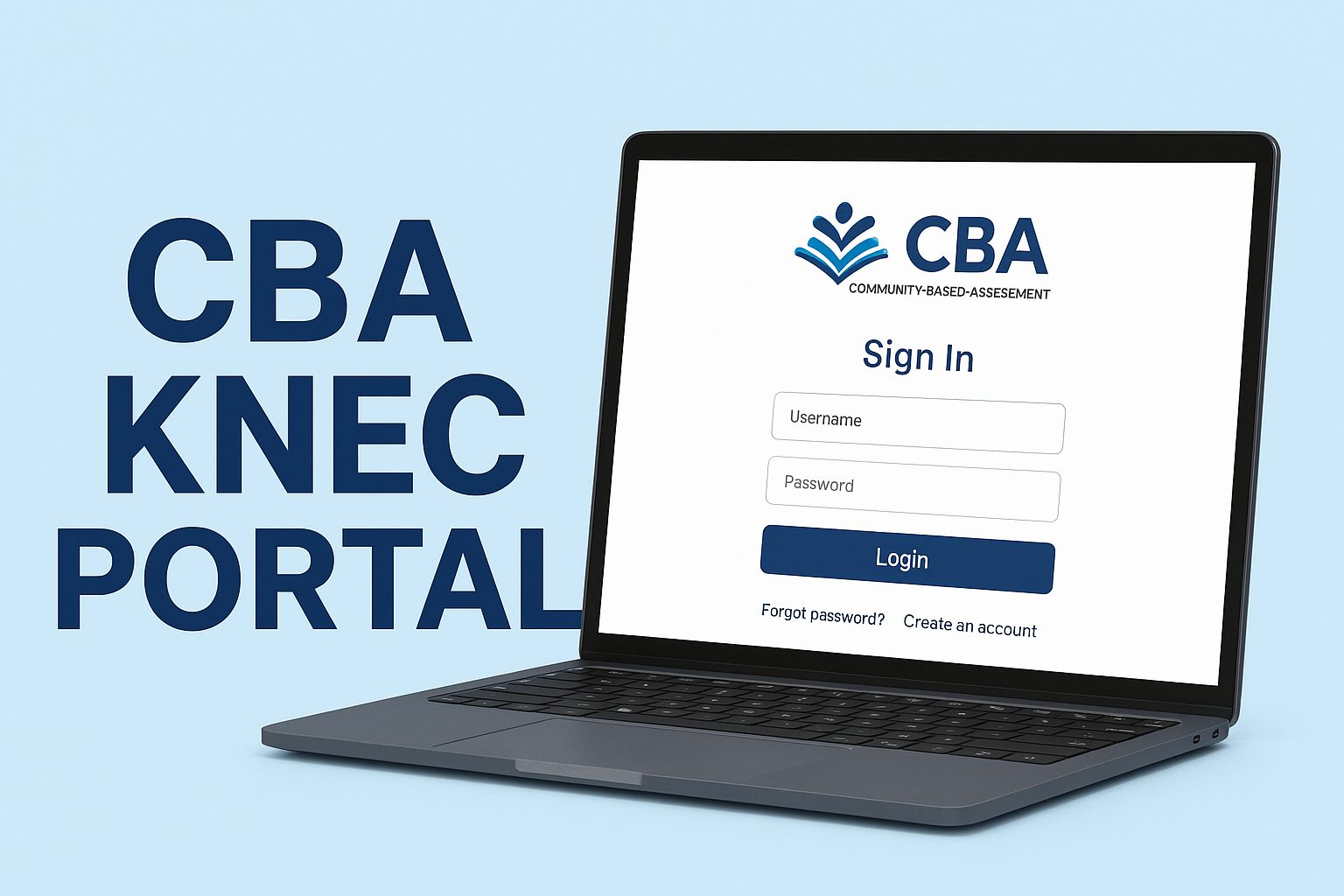
The cba knec portal is Kenya’s official online platform at cba.knec.ac.ke where schools register learners for Competency-Based Assessment examinations. Schools use their KNEC code as username and receive passwords from their Sub-County Director of Education. The portal manages KPSEA (Kenya Primary School Education Assessment), KILEA (Kenya Intermediate Level Education Assessment), and other CBC assessments. Over 1.3 million Grade 6 learners used this portal for their 2024 KPSEA examinations.
Key Portal Features:
- Student registration for national assessments
- Results access and download
- School-based assessment upload
- Learner transfer management
- Real-time progress tracking
Kenya’s education system is changing. Gone are the days when KCPE was the only measure of a child’s progress. Today, the cba knec portal stands at the heart of this transformation, making assessment more about what kids can actually do rather than what they memorize.
If you’re a parent trying to check your child’s results, a teacher registering students for the first time, or a school administrator managing transfers, this guide will walk you through everything about the cba knec portal. I’ve helped several schools through their first registration process, and I know exactly where people get stuck.
What is the CBA KNEC Portal?
The cba knec portal is a secure online system created by the Kenya National Examinations Council to manage Competency-Based Assessment examinations. Think of it as a digital office where schools register their learners for national assessments under the new Competency-Based Curriculum.
Unlike traditional exam systems that only recorded final results, the cba knec portal tracks learner progress from Grade 1 through their educational journey. It’s Kenya’s way of modernizing how we assess what our children learn.
The portal serves multiple purposes. Schools use it to register candidates during specific examination periods. Teachers access assessment guidelines and training materials. Parents can view their child’s progress reports. All of this happens in one centralized platform that brings together different stakeholders in the education system.
According to data from the Kenya National Bureau of Statistics, the shift to competency-based education affects over 10 million learners across Kenya. The cba knec portal makes managing this massive undertaking possible.
Why Schools and Parents Need the CBA KNEC Portal
Kenya’s education sector has moved away from rote memorization toward practical skills. The cba knec portal supports this change in several ways:
For Schools:
- Simplified student registration process
- Quick access to assessment materials
- Ability to upload school-based assessment scores
- Efficient management of learner transfers
- Real-time monitoring of registration progress
For Parents:
- Transparency in their child’s learning progress
- Access to detailed performance reports
- Understanding of strengths and improvement areas
- Better communication with teachers
- Active participation in education decisions
For Teachers:
- Clear assessment guidelines
- Access to scoring rubrics
- Professional development materials
- Tools for tracking individual learner progress
- Support for differentiated instruction
The portal has processed over 1.3 million KPSEA registrations in 2024 alone. This shows how integral it’s become to Kenya’s education system. Without the cba knec portal, managing assessments for millions of learners would be nearly impossible.
Types of Assessments Managed Through the CBA KNEC Portal
The cba knec portal handles several different assessments as learners progress through the Competency-Based Curriculum:
Kenya Early Years Assessment (KEYA)
This assessment targets Grade 3 learners. KEYA evaluates foundational literacy, numeracy, and psychomotor skills. Schools download assessment tools from the cba knec portal, administer them, and upload results back to the platform.
School-Based Assessments (SBA)
For Grades 4 and 5, the cba knec portal provides assessment tools in both PDF and digital formats. Teachers score learners based on performance tasks and upload the scores through the portal. These assessments count toward 60% of the learner’s total score at the end of primary level.
Kenya Primary School Education Assessment (KPSEA)
This is the major assessment for Grade 6 learners. In 2024, KPSEA replaced KCPE as the primary school leaving examination. The assessment comprises 40% of the total score, with school-based assessments making up the remaining 60%. Over 1.3 million learners sat for KPSEA in 2024 across 35,573 centers.
Kenya Intermediate Level Education Assessment (KILEA)
For stage-based pathway learners at the intermediate level, KILEA assesses competencies differently from age-based learners. The cba knec portal manages these registrations separately but through the same platform.
Kenya Junior School Education Assessment (KJSEA)
Though still in early implementation stages, KJSEA will assess Grade 9 learners. This will be the summative evaluation accounting for 60% of the junior school score.
How to Access and Use the CBA KNEC Portal
Getting started with the cba knec portal involves several steps. Let me break them down based on whether you’re a school administrator or a parent.
For Schools: Initial Setup
Before accessing the cba knec portal, your school needs to be registered with KNEC. Here’s what you need:
Registration Requirements:
- Valid KNEC school code (this becomes your username)
- Password provided by your Sub-County Director of Education (SCDE)
- Stable internet connection
- Updated browser (Chrome, Firefox, or Edge recommended)
- List of learners with correct details
Contact your area SCDE if your school hasn’t received a KNEC code. They handle all initial registrations and password distribution.
Step-by-Step Login Process
- Open your web browser
- Navigate to https://cba.knec.ac.ke
- You’ll see the school login page
- Enter your KNEC school code in the username field
- Type your password (case-sensitive)
- Click the “Login” button
If you’ve forgotten your password, click the “Need Help Or Forgotten Password” link. You’ll be directed to contact your SCDE for a password reset. There’s no self-service password recovery for security reasons.
Registering Learners on the CBA KNEC Portal
Once logged in, here’s how to register learners for assessments:
Step 1: Navigate to the Correct Portal
After login, you’ll see options for different assessment portals (KPSEA Portal, KILEA Portal, etc.). Click on the assessment you’re registering learners for.
Step 2: Enter Learner Details
The cba knec portal requires specific information:
- Full names (as they appear on birth certificate)
- Assessment number (for existing learners)
- Date of birth (day, month, and year)
- Gender
- Birth certificate number (if available)
- Disability status (if applicable)
- Subject choices (for learners with special needs)
Step 3: Verify Information
Before submitting, double-check every detail. A single typo in a birth certificate number can cause problems during examinations. The portal allows you to edit details during the registration window.
Step 4: Submit Registration
Once you’ve verified all information:
- Generate a preview of registered candidates
- Check for any errors or duplicates
- Make final corrections if needed
- Click the submit button
- Download the confirmation report
Important Note: For learners with hearing impairment selecting the Deaf option, you must choose between Kiswahili Language (KIS) or Kenya Sign Language (KSL). This is mandatory on the cba knec portal.
Managing Learner Transfers
The cba knec portal simplifies school transfers:
For the Receiving School:
- Log into the portal
- Select the transfer option
- Search for the learner using their assessment number
- If you don’t have the assessment number, search using the previous school code
- Send a transfer request
- Wait for the previous school to accept
For the Previous School:
- You’ll receive a notification about the transfer request
- Review the request details
- Click “Accept” to release the learner
- The learner transfers automatically to the new school
Parents can also initiate transfers through the cba knec portal by clicking “View Learner Details” and following the transfer process.
For Parents: Accessing Your Child’s Results
Parents don’t need to create separate accounts. Here’s how to view results:
- Visit https://cba.knec.ac.ke
- Click “View Learner Details”
- Select your child’s grade level
- Enter the assessment number (get this from your child’s school)
- Click “Find”
- View and download the performance report
Results show your child’s competency levels across different learning areas. Unlike traditional percentage scores, these reports indicate whether your child has met, exceeded, or needs support in specific competencies.
Cost and Requirements for Using the CBA KNEC Portal
Here’s what you need to know about costs and requirements:
| Item | Cost | Notes |
|---|---|---|
| School Registration | Free | One-time registration with SCDE |
| Portal Access | Free | No subscription fees |
| Learner Registration | Free | No per-student charges |
| Internet Connection | Varies | Schools cover their own connectivity |
| Printing Reports | Varies | Depends on school resources |
Equipment Requirements:
Minimum:
- Computer or smartphone with internet
- Updated web browser
- Stable connection (at least 2 Mbps)
Recommended:
- Desktop computer or laptop
- Chrome or Firefox browser
- Wired internet connection (more stable)
- Backup power supply during registration periods
The cba knec portal is designed to work on basic internet speeds, but faster connections make the registration process smoother, especially when uploading assessment scores for multiple learners.
Common Mistakes to Avoid When Using the CBA KNEC Portal
Through my experience helping schools, I’ve seen these mistakes repeatedly:
Registration Errors:
- Using incorrect birth certificate numbers
- Misspelling learner names
- Entering wrong dates of birth
- Forgetting to select disability options when applicable
- Submitting before final verification
Solution: Create a checklist and verify each learner’s details against original documents before submission.
Access Problems:
- Trying to log in outside registration periods
- Using wrong KNEC code format
- Entering passwords with incorrect case
- Attempting to access the portal during maintenance
Solution: Confirm registration dates through official KNEC circulars and save your login credentials securely.
Transfer Issues:
- Not obtaining assessment numbers from previous schools
- Requesting transfers outside allowed periods
- Failing to follow up on transfer requests
- Not informing parents about transfer procedures
Solution: Maintain clear communication channels between schools and document all transfer requests.
Technical Mistakes:
- Using outdated browsers
- Poor internet connection during submission
- Not downloading confirmation reports
- Failing to clear browser cache when having issues
Solution: Use recommended browsers, ensure stable connectivity, and always save confirmation documents.
Step-by-Step Guide: Complete Registration Process
Let me walk you through a full registration cycle on the cba knec portal:
Phase 1: Preparation (Week 1)
- Check KNEC circular for registration dates
- Gather all learner documents
- Verify birth certificate details
- Confirm assessment numbers for existing learners
- Test your portal access
Phase 2: Data Entry (Week 2-3)
- Log into the cba knec portal
- Select the appropriate assessment portal
- Enter learner details systematically
- Upload any required documents
- Save progress regularly
Phase 3: Verification (Week 3)
- Generate complete candidate list
- Cross-check against physical registers
- Verify special needs accommodations
- Confirm subject choices
- Print preview reports
Phase 4: Submission (Week 4)
- Make final corrections
- Submit registration
- Download confirmation reports
- File digital and physical copies
- Inform parents about successful registration
Phase 5: Post-Registration (Ongoing)
- Monitor for any portal updates
- Respond to transfer requests promptly
- Keep parents informed
- Prepare for assessment administration
Troubleshooting Common CBA KNEC Portal Issues
“Unregistered School Code” Error
What it means: The portal doesn’t recognize your KNEC school code.
Solutions:
- Verify you’re using the correct code format
- Contact your SCDE to confirm registration status
- Check if your school’s registration has expired
- Ensure you’re not mixing up similar codes
Cannot Access During Registration Period
What it means: Server overload, internet issues, or maintenance.
Solutions:
- Try accessing during off-peak hours (early morning or late evening)
- Clear your browser cache and cookies
- Switch to a different browser
- Check your internet connection speed
- Wait 30 minutes and try again
Password Not Working
What it means: Password wasn’t saved correctly or has expired.
Solutions:
- Verify you’re using the exact password provided
- Check for extra spaces before or after the password
- Ensure caps lock is off (passwords are case-sensitive)
- Contact your SCDE for a password reset
- Request a new password if the old one has expired
Unable to Edit Learner Details
What it means: Registration window may have closed or data is locked.
Solutions:
- Check the registration deadline
- Contact KNEC support if within the registration period
- Save required changes for the next registration cycle
- Document the issue with screenshots
Assessment Numbers Not Generating
What it means: System error or incomplete registration.
Solutions:
- Ensure all required fields are filled
- Check for error messages on the submission page
- Log out and log back in
- Contact the KNEC helpdesk with your school code
Future Trends in the CBA KNEC Portal
Kenya’s education technology is growing, and the cba knec portal will change along with it. Here’s what’s coming:
Mobile App Development
KNEC is exploring mobile applications that would allow schools to register learners directly from smartphones and tablets. This would make the cba knec portal more accessible, especially for schools in remote areas with limited computer access.
Real-Time Analytics
Future versions might provide schools with instant statistics on registration progress, assessment readiness, and learner trends. Imagine seeing immediately how many learners you’ve registered and what percentage have submitted complete documentation.
Integration with Other Systems
The cba knec portal will likely integrate more deeply with:
- NEMIS (National Education Management Information System) for automatic data transfer
- TSC Portal to link teacher data with assessment administration
- National ID System for direct verification of learner identities
- County Education Offices for streamlined communication
Digital Assessment Delivery
While current CBC assessments are paper-based, Kenya is moving toward computer-based testing. Within five years, education policy analysts predict that at least 30% of CBC assessments will have a digital component. The cba knec portal will become the platform for delivering these digital assessments.
Blockchain-Verified Certificates
Future developments may include blockchain technology to verify assessment certificates. This would make it impossible to forge results and would allow employers or institutions to instantly verify a candidate’s academic credentials through the cba knec portal.
According to research from the Kenya National Bureau of Statistics, digital transformation in education could improve assessment efficiency by up to 45% while reducing costs by 30%.
Survey Question: Do you think digital assessments will completely replace paper-based exams in Kenyan schools within the next 10 years? Share your thoughts in the comments below.
Frequently Asked Questions About the CBA KNEC Portal
How do I get access to the cba knec portal?
Schools receive access through their Sub-County Director of Education. Your KNEC school code serves as the username, and you’ll get a password after registration. Parents access results through the “View Learner Details” option without needing login credentials.
Can I register learners outside the official registration period?
No. The cba knec portal only allows registrations during specific windows announced by KNEC through official circulars. These periods typically open several weeks before each assessment. Plan ahead and register early to avoid last-minute issues.
What happens if I enter wrong information for a learner?
During the registration period, you can edit learner details through the portal. After submission, contact your SCDE immediately to request corrections. Some corrections may only be possible during the next registration cycle.
How long does it take for KPSEA results to appear on the portal?
KNEC typically releases results 2-3 months after the assessment. In 2024, KPSEA exams happened in October, and results were available in January 2025. Schools receive notification when results are ready on the cba knec portal.
Can parents access the portal directly?
Parents can view their child’s results through the portal but cannot access the full school dashboard. You’ll need your child’s assessment number, which the school provides. Parents don’t get separate login credentials.
What should I do if the portal is down during registration?
First, confirm whether it’s a system-wide issue by checking KNEC’s official channels. Try accessing during off-peak hours. If problems persist, document your attempts and contact your SCDE. KNEC sometimes extends registration deadlines when technical issues affect many schools.
My Experience with the CBA KNEC Portal
I’ll never forget my first time helping a school navigate the cba knec portal. The headteacher called me, frustrated because they couldn’t log in. After 30 minutes of troubleshooting, we realized they were using a lowercase “L” instead of the number “1” in their school code.
That experience taught me something important: the cba knec portal isn’t just about technology. It’s about people adapting to new ways of doing things. I’ve watched teachers who started out confused become experts who now train others.
One school I worked with had 240 Grade 6 learners to register. We set up a systematic process: two teachers entering data, one verifying, and one managing the physical documents. What could have been chaotic became smooth. They finished registration three days before the deadline and had time to double-check everything.
The most rewarding part? Seeing parents access their children’s results for the first time. One mother told me she finally understood why her daughter was good at science but struggled with written language. The detailed competency reports helped her work with teachers on a support plan.
This isn’t just a portal. It’s changing how we think about education in Kenya. Yes, there are frustrations. The system sometimes runs slow. Login problems happen. But seeing learners assessed on what they can do rather than what they memorize makes it worthwhile.
If you’re a teacher reading this, take time to understand the cba knec portal. If you’re a parent, ask your child’s school to explain how to access results. If you’re a policymaker, keep investing in this infrastructure. We’re building something important here.
Key Takeaways
The cba knec portal represents Kenya’s commitment to modern, competency-based education. Here’s what you need to remember:
- The portal is free to access for schools and parents
- Registration happens during specific periods announced by KNEC
- Over 1.3 million learners used the system for 2024 KPSEA
- Schools need their KNEC code and password from their SCDE
- Parents can view results using their child’s assessment number
- The system manages KPSEA, KILEA, KEYA, and other CBC assessments
- Future developments will include mobile apps and digital assessments
- Proper preparation prevents common registration mistakes
- The portal tracks learner progress throughout their education journey
Looking for more guidance on navigating Kenya’s education system? Check out online jobs in Kenya where you can find resources and opportunities that support your educational journey.
The cba knec portal isn’t perfect, but it’s making assessment more accessible and transparent than ever before. Whether you’re registering 10 learners or 1,000, understanding how to use this system efficiently will save you time and frustration.
Kenya’s education future is digital, and the cba knec portal is leading the way. Take time to learn it properly. Help others who are struggling. Share your experiences. Together, we’re building better assessment systems for our children.
What’s your experience with the cba knec portal? Have you faced challenges we didn’t cover? Share your story in the comments below. Your experience might help another school administrator or parent who’s struggling with the same issue.
Ready to explore more educational resources? Visit our platform for comprehensive guides, tips, and support for Kenya’s education system.
Sources and References
-
Kenya National Examinations Council. (2024). “Competency Based Assessment Portal.”
-
Standard Media. (2025). “KNEC releases 2024 KPSEA results for over 1.3 million learners.”
-
Citizen Digital. (2025). “KNEC releases 2024 KPSEA results.”
-
Kenya National Bureau of Statistics. (2024). “Education Statistics in Kenya.”
-
KNEC. (2023). “KPSEA Portal User Guide for Registration of Grade 6 Learners.” Official Documentation.
-
-
CBC Teachers Online. (2024). “KNEC circular guiding 2024 assessment for Grades 3, 4 and 5.”
-
Nation Africa Business Section. (2024). “Education Sector Analysis.”
-
HubSpot Blog. (2024). “Digital Transformation in Education.”