🚀 Quick Facts At a Glance Kisii University Student Portal
| Feature | Details |
|---|---|
| Portal URL | portal.kisiiuniversity.ac.ke |
| E-Learning | elearning.kisiiuniversity.ac.ke |
| Main Uses | Unit Registration, Exam Results, Fee Statements, Hostel Booking |
| Support Email | helpdesk@kisiiuniversity.ac.ke |
| Best Browser | Chrome or Mozilla Firefox |
Introduction
University life in Kenya is exciting, but it comes with challenges. We have all been there—standing in long lines at the finance office under the hot sun just to get a fee statement stamped. It is exhausting. Fortunately, the Kisii University student portal changes that.
This online system is your personal office. It allows you to handle administrative tasks from anywhere—whether you are in your hostel room, at a cyber café in town, or home for the holidays.
In this guide, we will walk you through exactly how to use the portal to make your campus life easier. We will cover logging in, registering units, and even how to reset a forgotten password.
What is the Kisii University Student Portal?
The Kisii University student portal is a digital platform that connects you to the university’s database. Instead of manual files, your academic records are stored here securely.
According to digital trends reported by Business Daily Africa, most Kenyan institutions are moving fully digital to reduce paperwork and errors. This portal allows the administration to communicate with you and allows you to manage your studies without physical visits to offices.
Why Students in Kenya Need This Portal
Using the portal is not just a suggestion; it is a requirement for survival on campus. It saves you time and gives you control over your data.
Interactive Checklist: Are You Ready for the Semester? Check these boxes to see if you are prepared.
- [ ] Fees Cleared: Have you checked your balance on the portal?
- [ ] Units Registered: Did you select your courses for this semester?
- [ ] Exam Card Printed: Do you have the document required to sit exams?
- [ ] Hostel Booked: Have you secured your accommodation?
If you checked all the boxes, you are safe. If not, you need to log in immediately.
Types of Portals Available
It is easy to get confused because there is more than one link. Here is a quick breakdown to ensure you are on the right page.
1. The Main ERP Portal
- Use this for: Fees, Exam Cards, Unit Registration, Hostel Booking.
- Who uses it: All students (Government and Self-sponsored).
2. The E-Learning (LMS) Portal
- Use this for: Submitting assignments, reading lecture notes, online classes.
- Who uses it: Students taking online or blended courses.
3. Staff Portal
- Use this for: Lecturers entering marks.
- Who uses it: Employees only.
How to Choose the Best Browser & Device
Many students complain that the “system is down,” but often, the issue is the device or browser they are using. Data from Kenya National Bureau of Statistics (KNBS) shows that while mobile internet is common, desktop connections are more stable for heavy data tasks.
Device & Browser Comparison Table
| Device/Browser | Checking Results | Printing Exam Cards | Registering Units | Rating |
|---|---|---|---|---|
| Mobile Phone (Chrome) | ✅ Great | ❌ Difficult | ⚠️ Risky | ⭐⭐⭐ |
| Laptop (Chrome/Firefox) | ✅ Great | ✅ Perfect | ✅ Perfect | ⭐⭐⭐⭐⭐ |
| Opera Mini (Data Saver) | ⚠️ Glitchy | ❌ Impossible | ❌ Do Not Use | ⭐ |
Pro Tip: Always use a laptop or a desktop computer at a cyber café when registering for units to avoid errors.
Cost of Services & Fee Information
Accessing the Kisii University student portal is free. However, the portal generates the invoices you need to pay. University education is an investment, and knowing your costs upfront helps you plan.
Estimated Semester Costs (KES)
| Fee Type | Govt Sponsored (Approx) | Self Sponsored (Approx) |
|---|---|---|
| Tuition | 16,000 – 30,000 | 50,000 – 80,000 |
| Computer Fee | 2,000 | 2,000 |
| Activity Fee | 1,000 | 1,000 |
| Medical Fee | 2,000 | 2,000 |
| Total Estimate | 21,000+ | 55,000+ |
Note: These figures are estimates. Always check your specific fee structure inside the portal.
If these figures look overwhelming, you are not alone. Many students look for ways to support themselves. You can explore legitimate Online jobs in Kenya to start earning money to help clear your fee balance.
Step-by-Step Guide: How to Get Started
Follow this timeline to ensure you never miss a deadline.
Phase 1: First Login
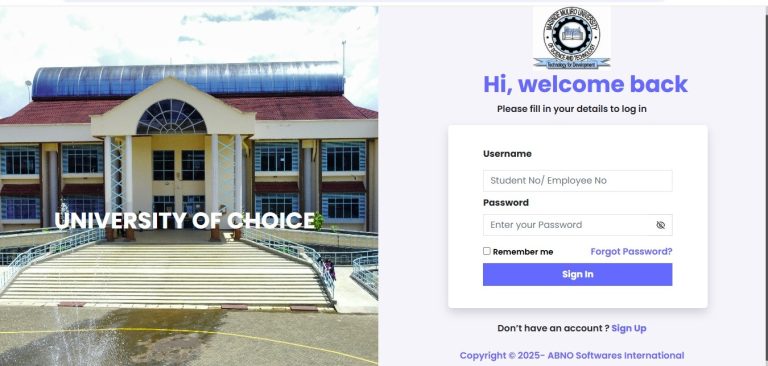
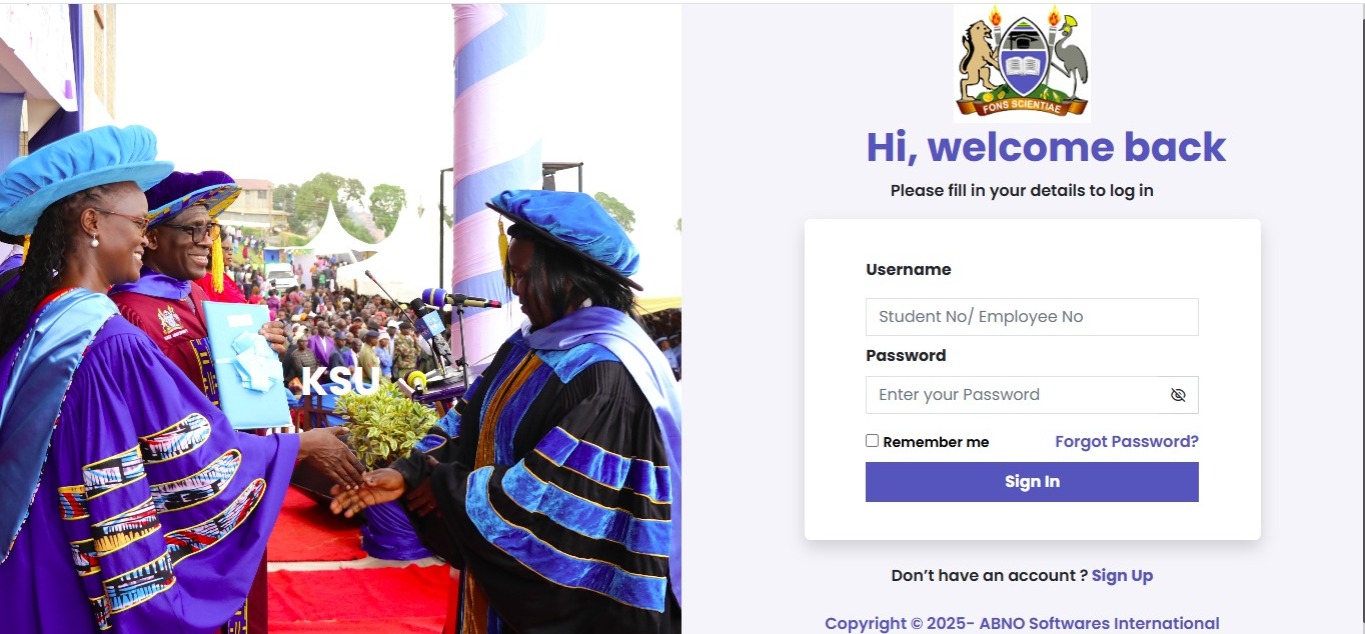
- Get Credentials: Your username is your Admission Number (e.g., ED11/0000/21).
- Default Password: Usually your National ID number or a default code provided in your admission letter.
- Change Password: The system will force you to create a new, strong password.
Phase 2: Registration
- Log In: Enter your new details.
- Click “Academics”: Find the “Register Units” tab.
- Select Units: Check the boxes for the units you are taking this semester.
- Submit: Click “Save” or “Submit.” Print the registration slip as proof.
Phase 3: Exams
- Clear Fees: Ensure your fee balance is zero.
- Download Card: Go to “Exam Card” and download the PDF.
- Print: Take it to the exam room.
Common Mistakes to Avoid
We asked senior students what mistakes they made in their first year. Here are the results.
Flip Card: The Mistake vs. The Solution
| The Mistake ❌ | The Solution ✅ |
|---|---|
| Sharing Passwords | Never share credentials. If you do, friends might register the wrong units for you as a joke. |
| Waiting for Deadlines | The portal often slows down on the last day due to high traffic. Register two weeks early. |
| Using Opera Mini | Use Chrome or Firefox. Data saver browsers break the scripts on the portal. |
| Ignoring Fee Balances | Check your balance weekly. Bank transfers can take 48 hours to reflect. |
Future Trends in University Tech
Technology in Africa is moving fast. According to TechCrunch Africa, universities are adopting AI and mobile-first strategies. In the near future, we might see the Kisii University student portal offer:
- Mobile Apps: A dedicated app so you don’t need a browser.
- AI Chatbots: Instant answers to questions like “When is graduation?”
- Biometric Login: Using your fingerprint to access exam cards.
Poll: What do you think? Would you trust an AI to choose your electives for you based on your grades?
- [ ] Yes, it knows my strengths.
- [ ] No, I want to choose for myself. (Share your answer in the comments below!)
FAQ Section
Here are quick answers to the most pressing questions.
Q: How do I reset my password?
A: Click “Forgot Password” on the login page. Enter your admission number. A link is sent to your registered email. If you cannot access that email, visit the ICT department on campus.
Q: Why can’t I register for units?
A: This usually happens for two reasons: either the registration deadline has passed, or you have pending fee arrears. You must pay at least the required percentage of fees to register.
Q: Can I view my results if I have a fee balance?
A: Generally, no. Most universities, including Kisii, block access to transcripts and result slips until fees are cleared.
Q: Is the portal secure?
A: Yes, but you must play your part. Do not save your password on public computers at cyber cafés.
My Experience: A Lesson Learned the Hard Way
I want to share a quick story to make this real. In my second year, I was confident. I knew my parents had sent the school fees via M-Pesa Paybill. I didn’t bother logging into the Kisii University student portal to confirm receipt. I just assumed everything was fine.
On the morning of my Economics exam, I went to the cyber café to print my exam card. To my shock, the portal said: “Balance: KES 12,000. Access Denied.”
I panicked. I was sweating. I had to run to the finance office, queue for 30 minutes, and produce the M-Pesa message on my phone. It turned out I had entered one digit of my admission number wrong when paying. They fixed it, but I entered the exam room 20 minutes late, stressed and panting.
The Lesson: Always log in and verify. The portal is your source of truth. Do not assume; check it.
If you ever find yourself short on cash for fees or upkeep, don’t panic. There are ways to earn while you learn. I started doing small digital tasks to build an emergency fund. You can check out Online jobs in Kenya to see how you can get started too.
Conclusion
The Kisii University student portal is more than just a website; it is the engine of your academic life. It handles your money, your grades, and your residence.
By mastering how to use it—logging in correctly, registering units on time, and checking your balances—you remove the stress from your campus experience. You can focus on what matters: your studies and building your future.
Your Next Step: Do not wait for the deadline. Log in to the portal right now, check your fee balance, and ensure your units are registered.
Sources and References
We rely on credible sources to provide you with accurate information.
- Kenya National Bureau of Statistics (KNBS): Data on education and internet access in Kenya.
- Business Daily Africa: Reports on the digitization of higher education.
- TechCrunch Africa: Insights into technology trends in African universities.
- HubSpot Blog: Best practices for web navigation and user experience.
- Investopedia: Financial planning and fee management advice.
🧠 Final Quiz: Did You Read Carefully?
1. Which browser is NOT recommended for the portal? A) Google Chrome B) Mozilla Firefox C) Opera Mini (Data Saver)
2. What is the first thing you should do if you forget your password? A) Create a new account B) Click “Forgot Password” on the login page C) Go home
3. Can you register units if you have not paid any fees? A) Yes B) No C) Maybe
Answers:
- C) Opera Mini (It can break site scripts).
- B) Click “Forgot Password”.
- B) No (You usually need to pay a percentage of fees first).